



Saudi Visa Check:
Track Your KSA Visa Application Status
Saudi visa check in one place: enter the Application ID from your Saudi E Visa Online acknowledgement email to track your KSA visa status live — submission, document review, embassy processing and the final decision, with the approved e-visa sent to your inbox the moment it is issued. Applied on the official Saudi portal, or through a sponsor in Saudi Arabia? Your status lives on that portal, not here: the guide below shows how to check an eVisa by passport number and how to check a family or business visit visa with the Ministry of Foreign Affairs, and what every status means.
Please enter your Application ID to track your visa status.
Important Note
-
Application ID — provided in the acknowledgement email sent after you submit your Saudi visa application through Saudi E Visa Online.
-
Applied elsewhere? — applications made on the official Saudi portal or through a sponsor cannot be tracked here. See check by passport number or the visit visa (MOFA) check below.
Searching for your application...
No application found with this ID.
Applied on the official Saudi portal or through a sponsor? Your status is on that portal: check by passport number or check a visit visa with MOFA.
Application Id
—
Payment Status
—


 Payment Required
Complete Payment First
Need it faster?
Upgrade to Express and get priority processing in as little as 4-6 hours*.
 Upgrade Now
How to check your Saudi visa status with us
Every application submitted through Saudi E Visa Online is given an Application ID (it looks like SEVO263610TCZZ) in the acknowledgement email sent the moment you submit. Type it into the box at the top of this page and press Track Visa Status. The tracker shows every applicant on the booking, the payment status and the stage the application has reached. The same email address receives an update at every stage, so you never need to refresh this page to find out.
The tracker moves through four stages:
- Application Submitted — we have your form and documents. The ID and the submission date are shown.
- Document Review — our team checks every document before anything is sent to the authorities. If the fee is still unpaid the tracker shows Payment Required with a Pay Now button, and the review starts as soon as the payment is confirmed.
- Embassy Review — the application is with the Saudi authorities. Nothing is needed from you at this stage.
- Final Decision — approved visas are emailed to you as a PDF; if an application is refused we email the reason and what to do next.
What “action required” means. A step is waiting on you: usually an unpaid fee, or a document that has to be uploaded again because the photo is unclear or the passport scan is cropped. The tracker shows an upload button next to the applicant concerned, and the same request is sent to you by email. The application does not move until the item is resolved.
Check a Saudi eVisa status by passport number (applied on the official portal)
If you applied directly on the government eVisa platform, our tracker cannot see your application. The official portal shows the status against the passport you applied with:
- Open the official Saudi visa platform — the unified portal at ksavisa.sa (the older tourist eVisa site, visa.visitsaudi.com, redirects there).
- Sign in with the account you created when you applied. If you have forgotten the password, use the reset link on the sign-in page; the reset email goes to the address on the application.
- Open your applications list. Each application is listed with the applicant’s passport number, nationality and the current status.
- Select the application to see the details. An approved eVisa can be downloaded and printed from the same screen.
Keep the passport number and the application reference from the portal’s confirmation email together: the portal matches on both, and a passport number typed with a missing character returns nothing. If you applied through a travel agent, ask the agent for the login or the reference; the status is only visible from the account that made the application.
Check a family or business visit visa (MOFA) status
Family visit visas, business visit visas and other sponsored visas are not issued by the eVisa system. They are requested by the sponsor in Saudi Arabia (a resident relative or a company) and issued by the Ministry of Foreign Affairs (MOFA), so their status is checked on the MOFA visa platform:
- Open the MOFA visa platform at visa.mofa.gov.sa and choose the visa enquiry service (labelled Enquire about visa or Visa status).
- Enter the application number from the sponsor’s request together with the visitor’s passport number, then complete the image check.
- The result shows whether the request is under process, approved or refused. Once approved, the sponsor’s request states how the visa is issued for your country — electronically, or through the visa service centre you applied at.
The sponsor can see the same status in their own MOFA or Absher account, so the quickest route when you are outside Saudi Arabia is often to ask the sponsor. Extensions of a visit visa are also handled by the sponsor, from inside the Kingdom.
What each Saudi visa status means
| Status | What it means | What to do next |
|---|---|---|
| Under process | The application has been received and is being reviewed by the Saudi authorities. | Nothing. Wait for the decision; most tourist eVisas are decided within a few working days. |
| Action required / Payment required | Something is needed from you before the review can continue. | Pay the fee, or upload the document requested. The application is on hold until you do. |
| Approved | A decision has been made in your favour and the visa is being issued. | Watch your email for the visa document; with us it arrives as a PDF. |
| Issued | The eVisa document is available. | Download it, check every detail against your passport, and print a copy for travel. |
| Rejected | The application was refused. | Read the reason given. Most refusals can be fixed and reapplied once the cause is corrected. |
| Cancelled | The application was withdrawn or voided before a visa was issued. | Contact us with your Application ID, or submit a new application. |
| Expired | The visa’s validity period ended before it was used. | A new application is needed; an expired visa cannot be extended. |
How to download, print and verify your Saudi eVisa
Download. If you applied with us, the approved eVisa reaches your registered email as a PDF the moment it is issued; save it to your phone and keep the email. If you applied on the official portal, sign in, open the approved application and use the print or download option there.
Print. Carry a printed copy as well as the digital one. Airlines check the visa at check-in, and immigration may ask to see it on arrival together with your passport.
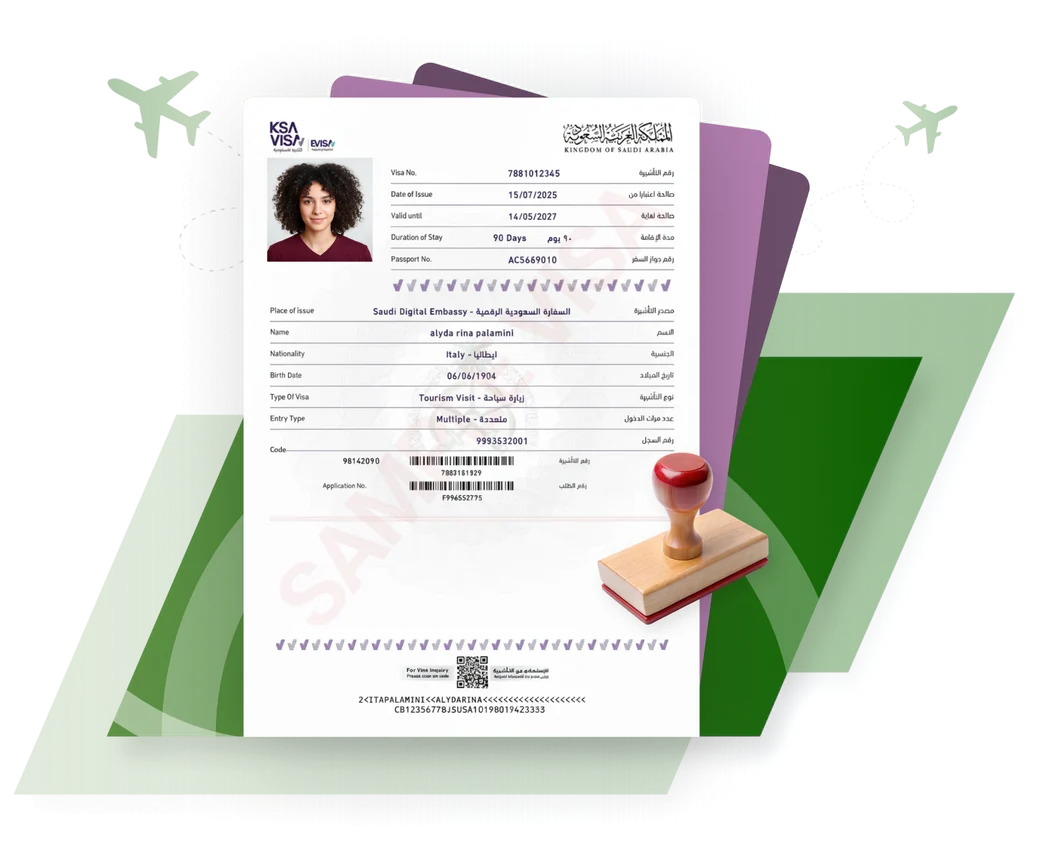
Verify. To confirm a Saudi eVisa is genuine, check it on the official portal using the visa number and the passport number printed on the document. The name, passport number, nationality, visa type and dates must match your passport exactly — a mismatch, or a visa the portal cannot find, means the document should not be relied on for travel. Contact us if a visa we issued shows a mismatch, and we will correct it before you fly.
Status not changing?
Most applications move within a few working days, and weekends and Saudi public holidays are not counted. If yours has sat on the same stage for longer than a week, our guide to how long a Saudi eVisa takes explains the usual causes, and if the result was a refusal, the guide to Saudi eVisa rejections and reapplying covers the reasons and the next step.
Still need help?
Our visa experts are here to help you 24/7

FAQ